

How to Turn Substack Notifications Into Growth Signals (Without Burning Out)
A practical event-based system to triage what matters, ignore what doesn’t, and automate follow-up with guardrails.



TL;DR: Substack notifications burn creators out when treated as endless pings to react to, but they become useful when treated as an event stream with automated rules. Classify notification events by your goal (conversation, signal, intent, risk), run a simple workflow (Event →Triage→Action), and process events in short windows instead of constant checking. With guardrails like dry run, caps, cooldowns, and preview-before-send, you can turn the right notifications into relationships and revenue without becoming a spammer or burning out.
42 notifications feels exciting. 420 notifications feels like drowning.
Same bell icon. Two different outcomes.
If you feel overloaded by Substack notifications, you’re not broken.
Your tools are.
If you run a publication, you know this feeling: you want to respond, welcome, and follow up.
But doing it one-by-one in chat does not scale. And spray-and-pray automation is exactly what your readers did not sign up for.
So you get stuck between: “I should reach out” and “I don’t have a clean way to do it.”
Most creators are taught to react to notifications.
Click. Scroll. Reply when you can. Forget what mattered.
That is not a workflow. That’s a stress loop.
The reframe is simple:
Notifications are not a to-do list. They are an event stream.
And event streams need rules.
Why the bell 🔔 hijacks you
Platforms are built to pull you back in. That part is not a conspiracy. It’s the business model.
Notifications and visible counts trigger variable rewards, social validation, and compulsive checking.
Useful for platform engagement.
Terrible for creator focus when unmanaged.
You don’t burn out from writing.
You burn out from fragmented attention and constant micro-decisions.
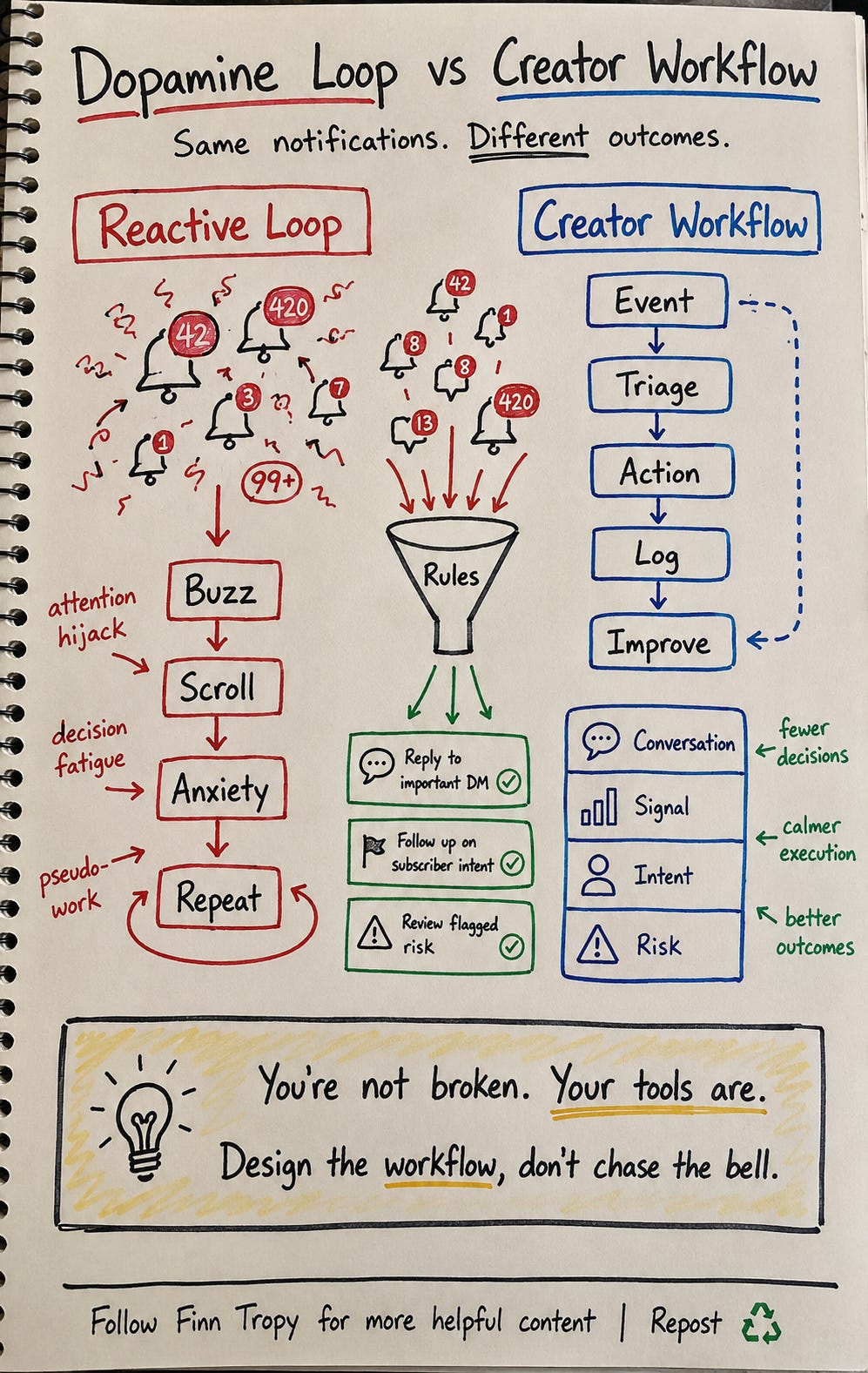
Reframe: not all notifications are equal
Your bell mixes very different signals. Treating all of them as urgent is the fastest route to exhaustion.
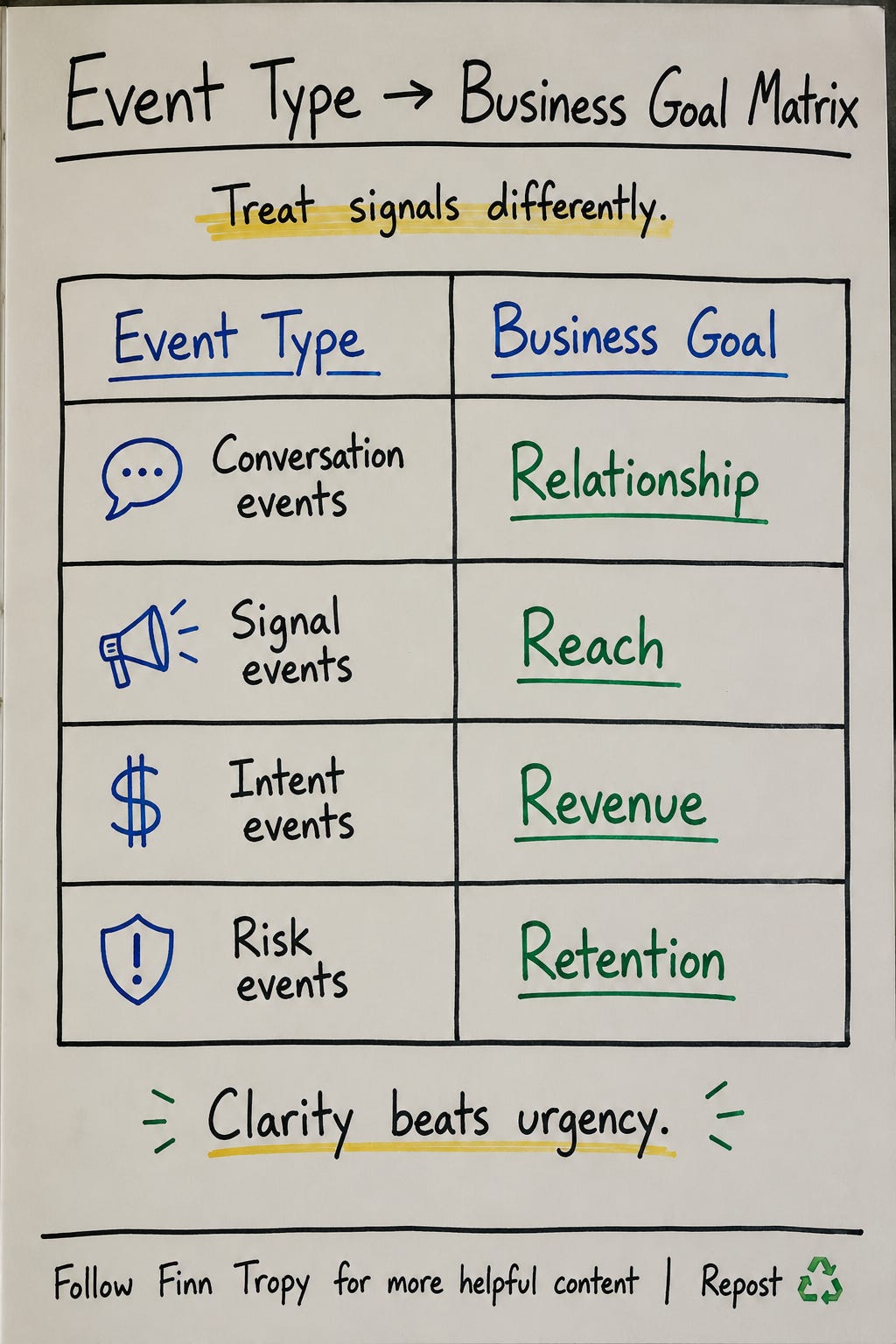
I use four event buckets:
Conversation events: comments, replies, DMs
Signal events: likes, restacks, follows
Intent events: subscribe, paid conversion, high-value clicks
Risk events: negative replies, churn hints, missed response windows
Now each event has a job.
Conversation builds relationships.
Signal expands reach.
Intent drives revenue.
Risk protects retention.
The magic in between is rules
In my notes I wrote last week:
Notification Event -> Magic -> Take some action
Here is what “magic” actually means:
If high-intent event (reply + recent subscribe), send personal follow-up.
If low-intent/high-volume event (likes only), batch-review once daily.
If repeated engagement from the same person, move to contact workflow.
If noise, mute that notification type.
That’s it.
No hustle theater. Just pre-decided rules that reduce decision fatigue.
What I implemented in StackContacts Connect
I didn’t want another motivational framework. I wanted infrastructure.
So I built this into StackContacts Connect as event-based auto-DM (available from version 0.3.1 onwards).
In the Responses tab, one event type maps to one response.
You pick plain-language categories and events.
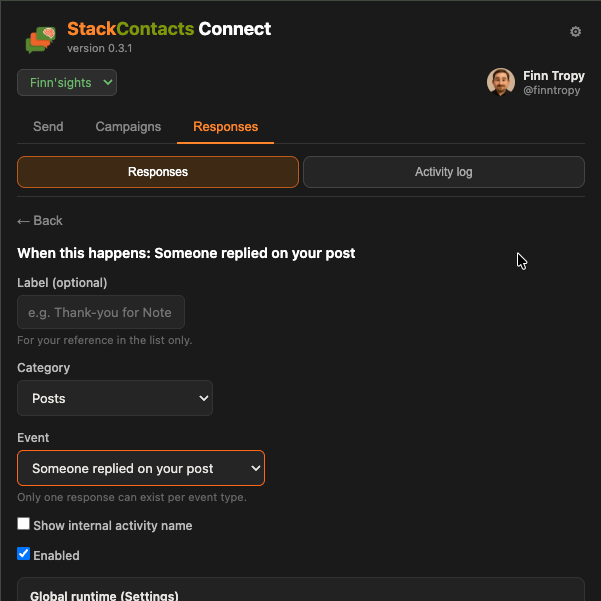
It keeps creators in operator mode instead of forcing them to think in backend event names.
Then you can add optional rules:
age in minutes (how recent is this event?)
sender count (Substack sends likes from multiple people in one event)
actor handle (Substack @ username from the profile)
can-DM flag (some users have disabled DMs)
specific item key (Note ID or Post ID - see example below)
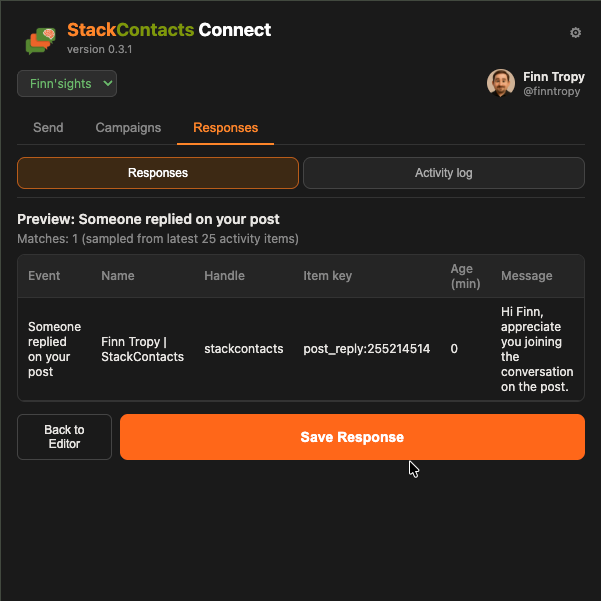
Before anything runs, you can preview behavior.
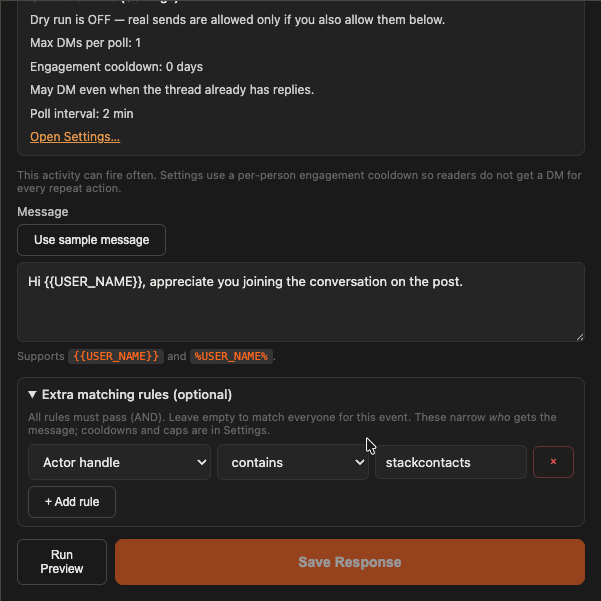
Preview-before-save sounds small. It matters. It turns “I hope this works” into “I can verify this first.”
Here is an preview example from my other Substack account:
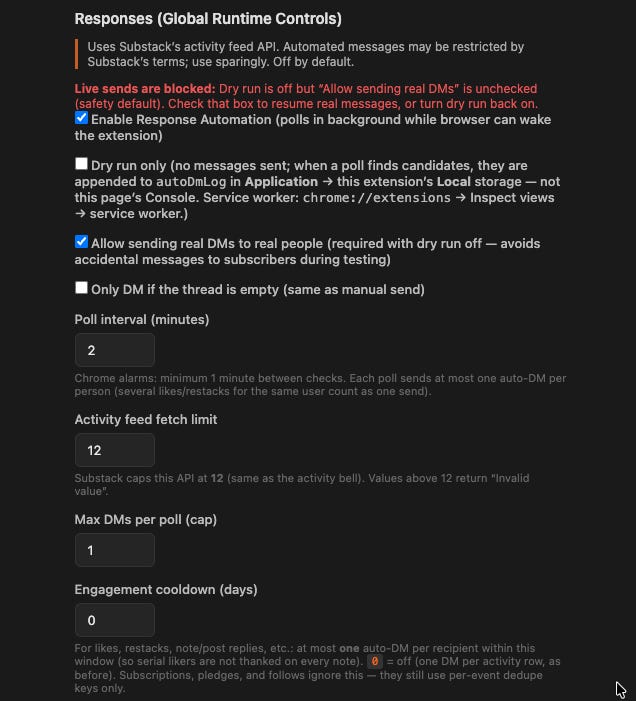
Global safety controls sit in Settings:
dry run
live-send opt-in
poll interval (how often activity feed is checked?)
feed fetch limit (max 12 events per poll)
max DMs per poll (prevent “bot” like behavior)
engagement cooldown (recommend 14 days between DMs to prevent spam like behavior)
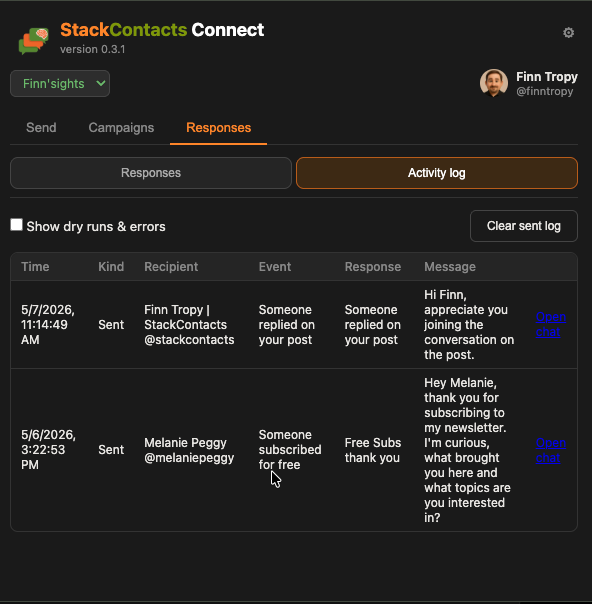
I also added dedupe, cooldown logic, and an activity log. So you can see what happened and audit it.
Activity log tab provides clickable links to the DM chat thread so that you can continue to DM conversation with one click.
Starter playbook (do this this week)
If you want less burnout and more useful conversations, run this for 7 days:
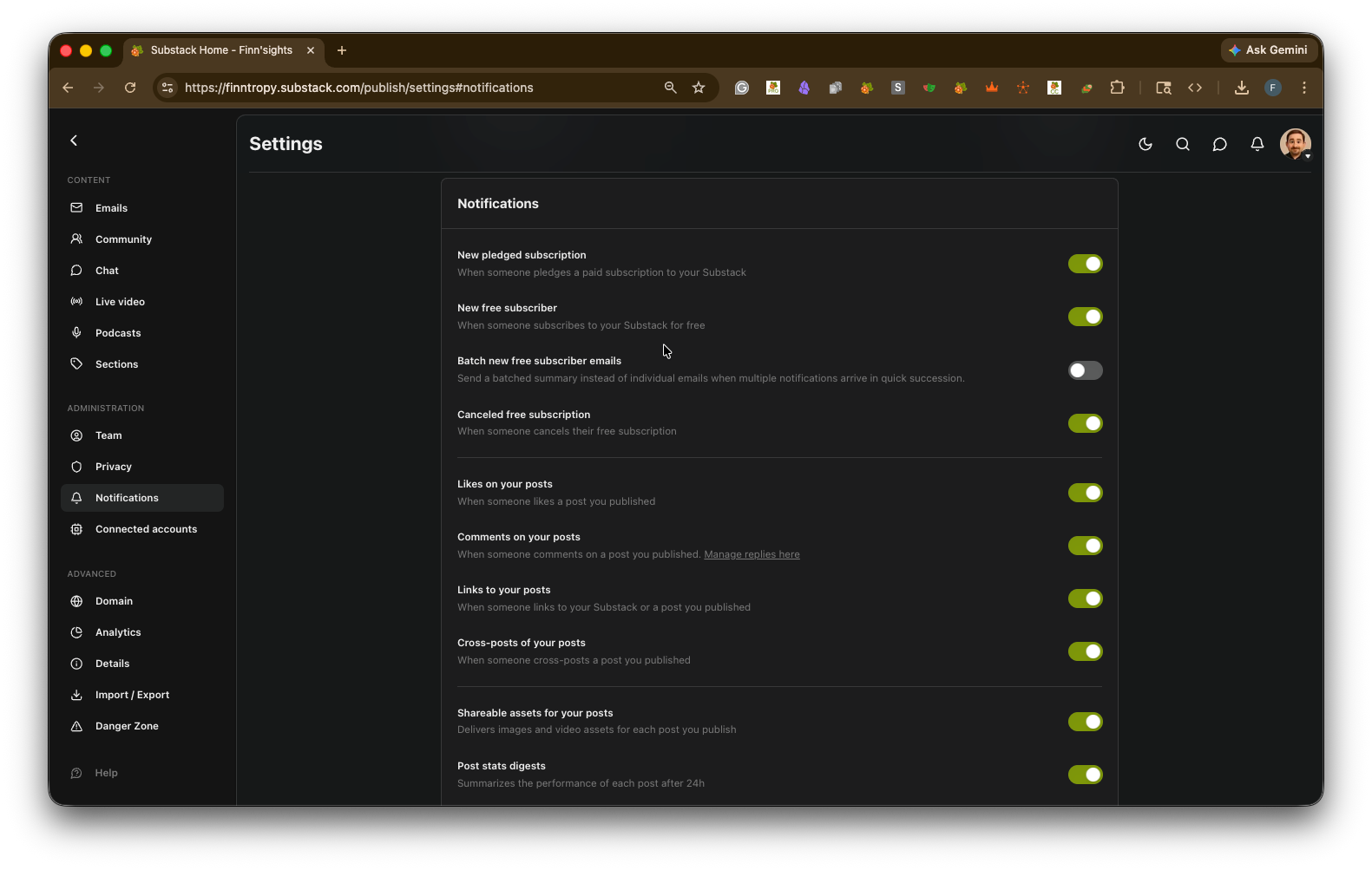
Audit your notification categories and turn off low-value alerts. (You can do this in https://yourpublication.substack.com/publish/settings#notifications)
Define three tiers: Immediate, Same Day, Batch.
Attach one action to each tier (reply, DM, tag, ignore).
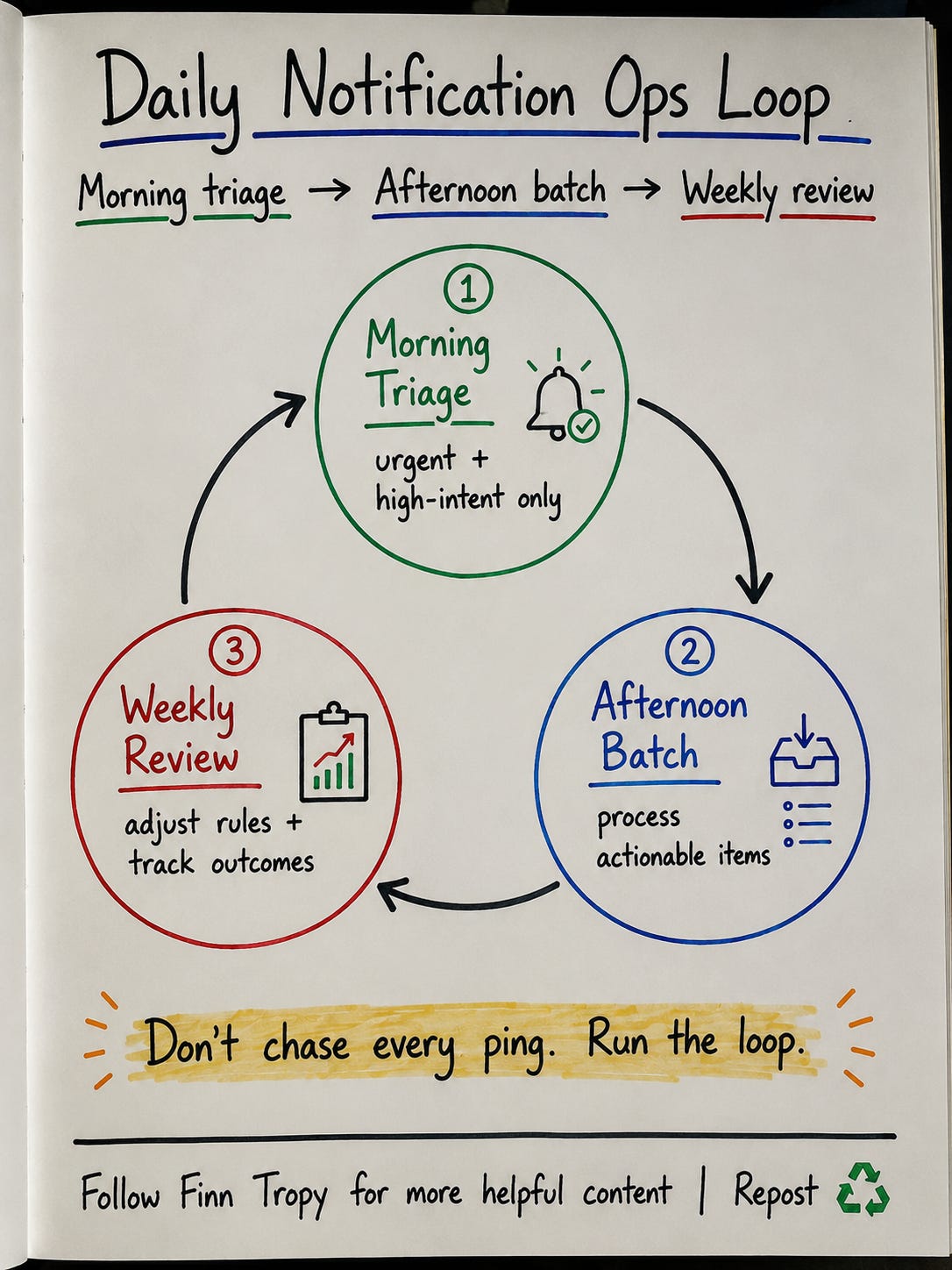
Process notifications in two short windows per day.
Track one business metric weekly (conversations started or subscribers converted).
Pilot one automation in dry run for 7 days before live sends.
This is the difference between feeling busy and running a system.
And yes, this still maps to outcomes.
In my earlier DM tests, I saw up to 53% DM response rate in the first four hours, while post-comment response rate sat around 2.8%.
Same creator. Same audience. Different channel design.
Guardrails that keep this humane
Automation is where creators get nervous.
Good. You should be careful.
The right automation respects people and protects your reputation:
Live sending is explicit opt-in.
Dry run is available for testing.
“Only empty thread” avoids awkward repeat intros.
Max DMs per poll and cooldowns prevent spammy behavior.
Manual sends and background responses stay separate.
This is not “DM everyone.”
It’s “respond consistently to meaningful events.”
Good software should make the right behavior easier:
message your own subscribers or engaged readers
send with pacing and caps
keep a human in the loop
avoid unattended blast behavior
Chart: Daily Notification Ops Loop — Morning triage, Afternoon batch, Weekly review
The real goal
The goal is not to clear every notification.
Notifications as dopamine creates creator exhaustion.
Notifications as infrastructure creates creator leverage.
The goal is to convert the right signals into relationships and revenue without burning yourself out.
Try the 3-tier system for one week.
If you want, reply and I’ll share the exact rules I use in my Responses.
— Finn
Further Reading


And this one:

 | A guest post by
|
This is BRILLZ. For the beta, do you want creators with a certain pace of growth or a certain number of subscribers? I don’t have so many notifications that it’s unmanageable but I’d like to try putting a system in place.
This is so great, Finn!
The reframe of how we think about all of this is key!
And confession... I still haven't set up StackContact Connects! DOH! That's on the list for this weekend.
Thanks as always for the tools that help me keep my sanity AND create smarter workflows!